# Export analytics to CSV (/analytics/export)
Related: [Analyze assistant conversations](/analytics/assistant.md), [Analyze documentation searches](/analytics/search.md), [Stream analytics events to Amazon S3](/analytics/streaming.md), [Analyze documentation traffic](/analytics/traffic.md), [Analyze user engagements](/analytics/user-engagements.md)
Analytics require a [Pro or Enterprise plan](https://mintlify.com/pricing?ref=analytics).
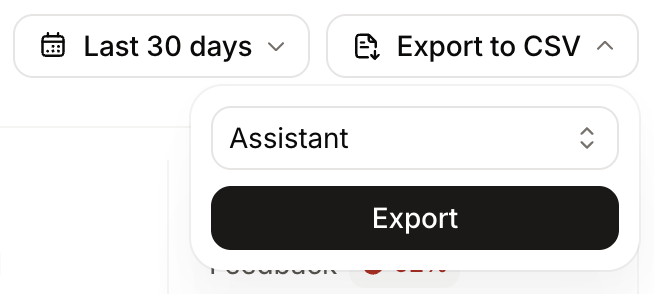
Export analytics categories to CSV for deeper analysis, reporting, or archival. Exports use the time range selected on the [analytics](https://app.mintlify.com/analytics) page.
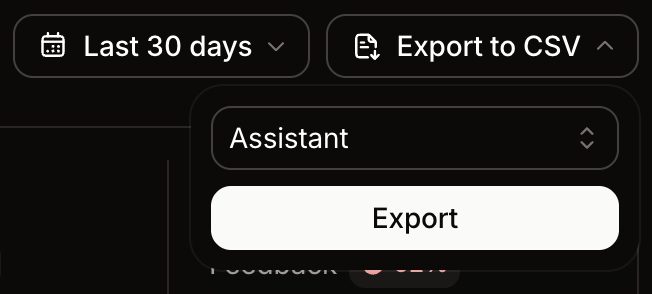
1. Select **Export to CSV**.
2. Select a category to export: traffic, referrals, assistant conversations, searches, or feedback.
3. Wait for Mintlify to email you a download link.
 ## Interpret traffic exports [#interpret-traffic-exports]
Traffic exports break down page views by visitor category so you can compare traffic from humans, agents, search crawlers, and other bots.
| Column | Description |
| ------------------ | ----------------------------------------------------------------------------------------------------------------------------------- |
| `humanViews` | HTML page views from non-bot traffic. |
| `aiViews` | Views from AI agents such as ChatGPT, Claude, and Cursor, plus Markdown page fetches from clients that are not recognized crawlers. |
| `searchIndexViews` | Views from search and indexing crawlers, such as Googlebot, Bingbot, and OAI-SearchBot. |
| `trainingViews` | Views from crawlers that collect content for AI model training, such as GPTBot, ClaudeBot, and CCBot. |
| `otherAiViews` | Views from other AI-related bots that do not fit the preceding categories. |
| `totalViews` | The sum of `humanViews` and `aiViews`. |
Mintlify classifies each view using known user-agent patterns for search crawlers, training crawlers, and AI assistants. Categories are mutually exclusive, so each view counts toward exactly one column.
`searchIndexViews`, `trainingViews`, and `otherAiViews` do not count toward `totalViews`.
## Interpret assistant exports [#interpret-assistant-exports]
Assistant exports include the queries, responses, sources, and a `resolutionStatus` column. The column indicates whether the assistant successfully answered each question with a value of `answered` or `unanswered`. Use it to identify documentation gaps surfaced by questions the assistant could not resolve.
Sample analysis prompts for assistant exports:
* List any queries that had no sources cited.
* Find patterns in unsuccessful interactions.
* Group unanswered queries by topic to prioritize content updates.
## Interpret traffic exports [#interpret-traffic-exports]
Traffic exports break down page views by visitor category so you can compare traffic from humans, agents, search crawlers, and other bots.
| Column | Description |
| ------------------ | ----------------------------------------------------------------------------------------------------------------------------------- |
| `humanViews` | HTML page views from non-bot traffic. |
| `aiViews` | Views from AI agents such as ChatGPT, Claude, and Cursor, plus Markdown page fetches from clients that are not recognized crawlers. |
| `searchIndexViews` | Views from search and indexing crawlers, such as Googlebot, Bingbot, and OAI-SearchBot. |
| `trainingViews` | Views from crawlers that collect content for AI model training, such as GPTBot, ClaudeBot, and CCBot. |
| `otherAiViews` | Views from other AI-related bots that do not fit the preceding categories. |
| `totalViews` | The sum of `humanViews` and `aiViews`. |
Mintlify classifies each view using known user-agent patterns for search crawlers, training crawlers, and AI assistants. Categories are mutually exclusive, so each view counts toward exactly one column.
`searchIndexViews`, `trainingViews`, and `otherAiViews` do not count toward `totalViews`.
## Interpret assistant exports [#interpret-assistant-exports]
Assistant exports include the queries, responses, sources, and a `resolutionStatus` column. The column indicates whether the assistant successfully answered each question with a value of `answered` or `unanswered`. Use it to identify documentation gaps surfaced by questions the assistant could not resolve.
Sample analysis prompts for assistant exports:
* List any queries that had no sources cited.
* Find patterns in unsuccessful interactions.
* Group unanswered queries by topic to prioritize content updates.